Main
Datasets
 Macaca mulatta         
 Macaca fascicularis         
 
sample data
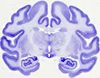
   primate brain nissl   
Terminology
 
Antibodies
 
3D Brain Objects
sample data
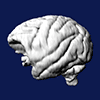
   3D monkey brain   
 
Brain Connectivity
 
Genes
· Genes List
 
Downloads
 
Image Series
 
Auto-Segmented
 
Web Services
 
Publications
sample publication
   NeuroImage Virtual Microscopy Brain Maps Publication   
Top Searches
Thalamus
Hippocampus
Septal Nucleus
Caudate Nucleus
Cerebellum
Amygdala
 
Miscellany
Timeline
Saving High Resolution Images
Keywords
Screenshots
Site Stats
Contributing
Links
 

Navigation Guide -> Downloading and Saving Images


The steps to save a cropped image are simple.
  1. Start the Java annotator for the desired image (by clicking on the icon next to image thumbnail)
  2. From the Right-click menu, select "Save printable image"
  3. Choose the desired image resolution
  4. Use the file browser to specify the file name
  5. Draw the selection rectangle on the image
  6. Save the image and close the annotator
[ More Information ]


Downloading Virtual Slides

Alternatively, you may choose to download down-sampled versions of the online virtual slides. To do so, click on this icon, , which appears next to virtual slides, when browsing through datasets, to download the down-sampled JPG of the corresponding virtual slide. These downloadable images can be useful for reference purposes or for 3D reconstruction.
  • Next Page -> Desktop Applications
  •